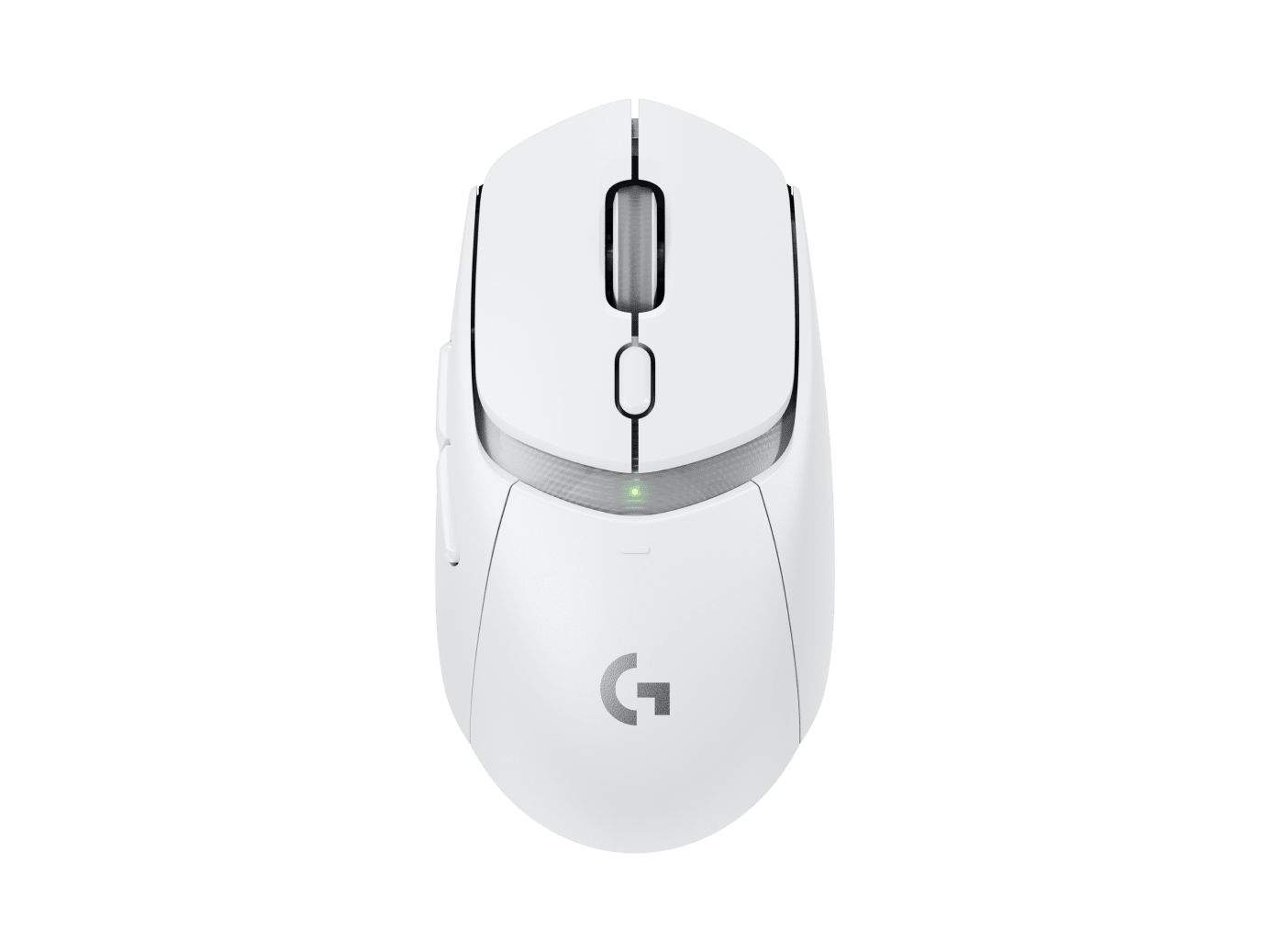
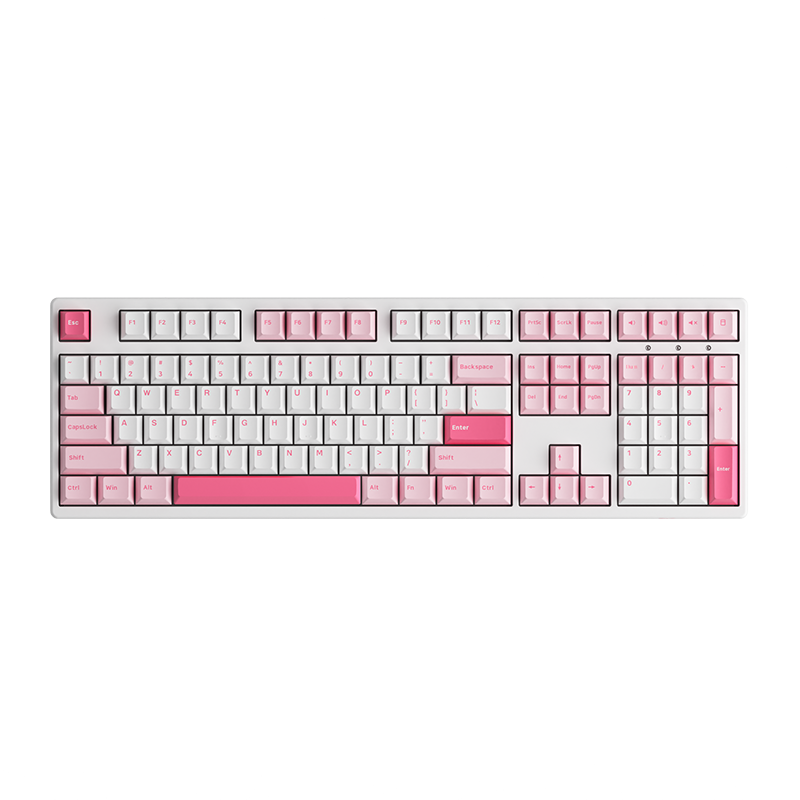
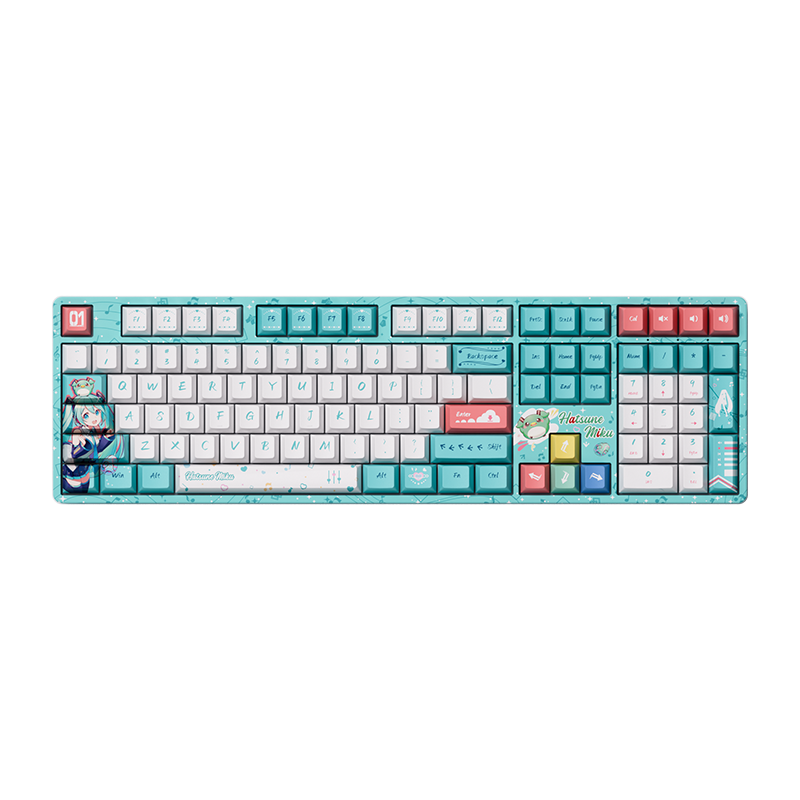
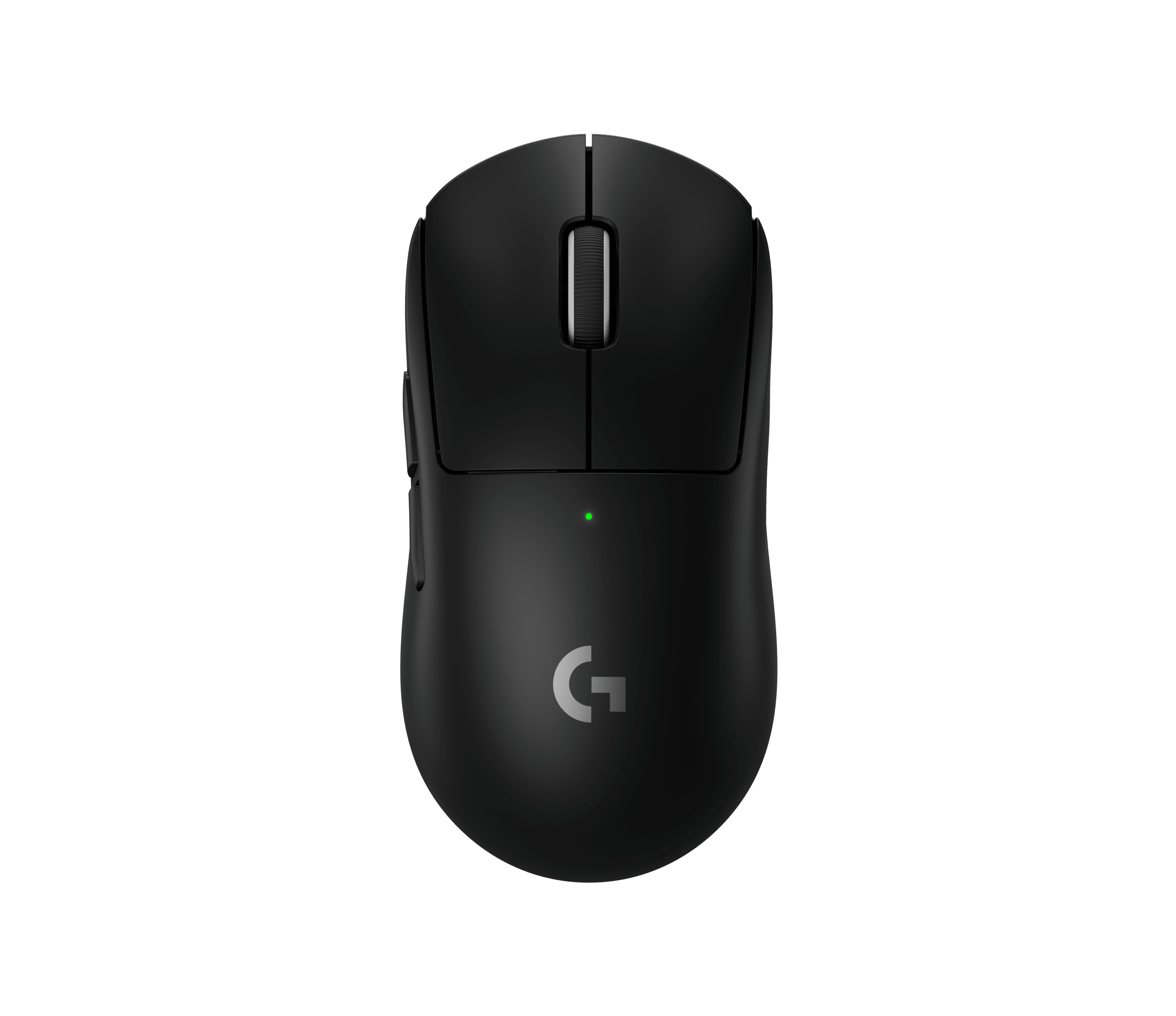
Check PC compatibility
Check PC compatibility. Compare the information published for the exact item and keep the product name or SKU for reference.
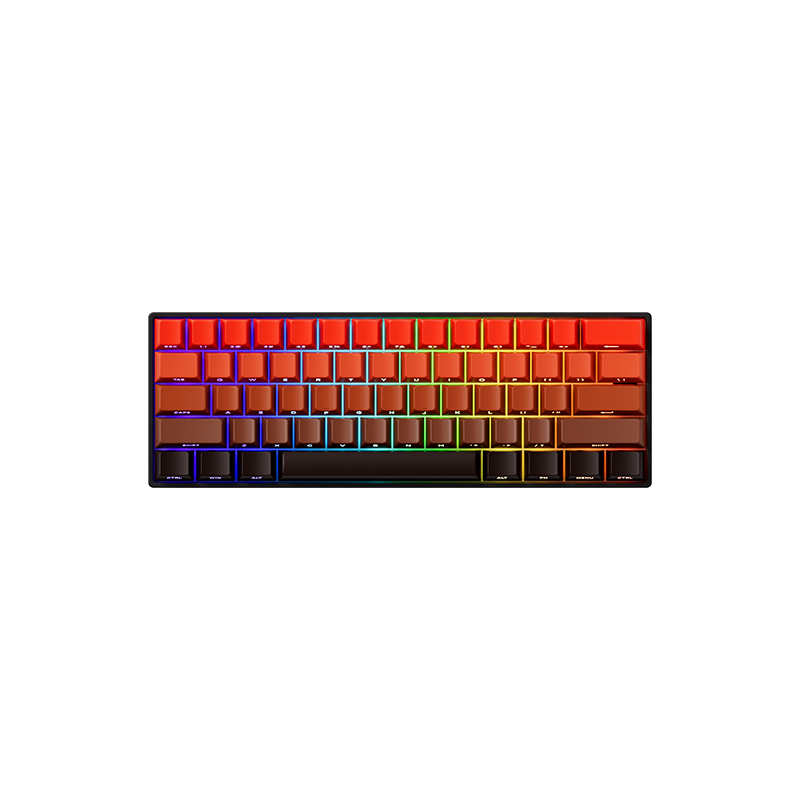
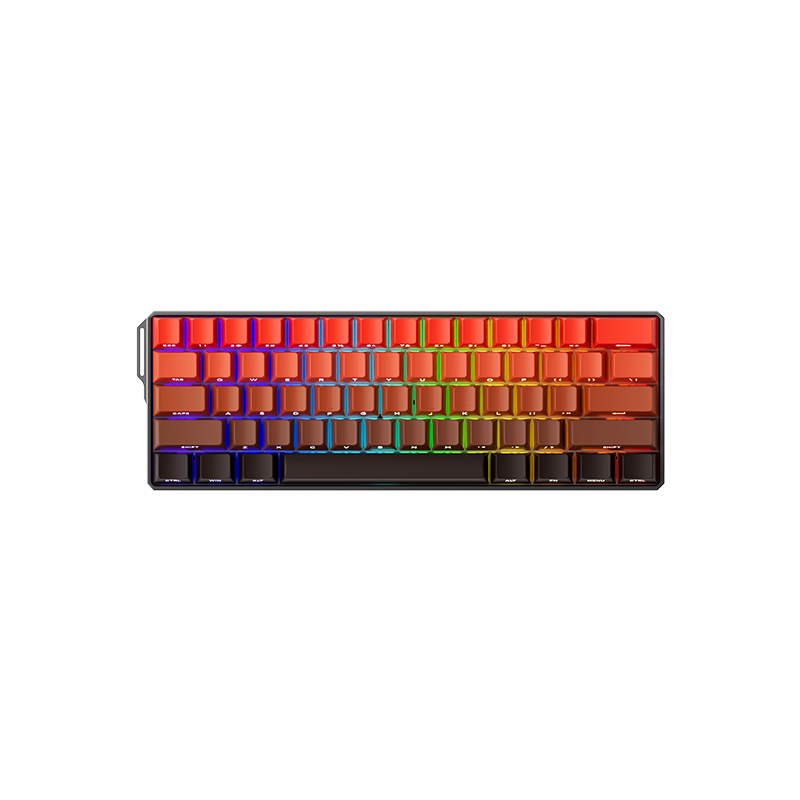
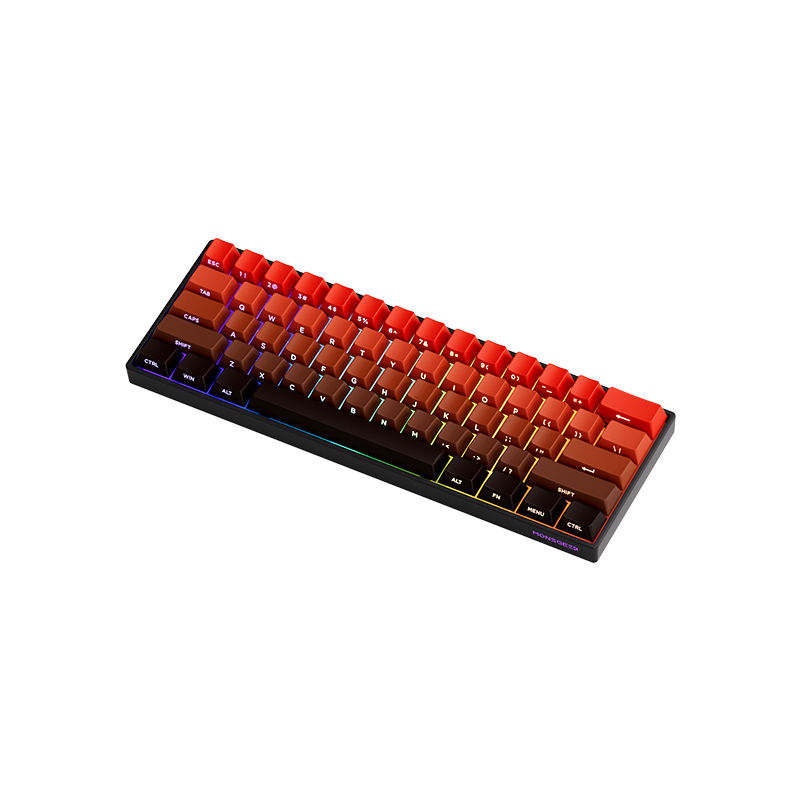
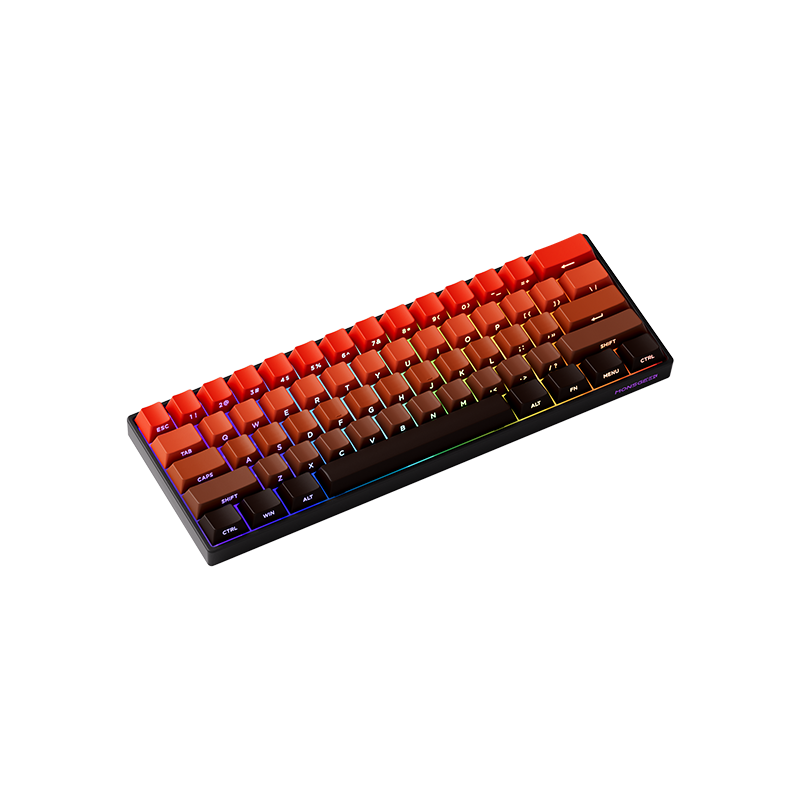
$34.99
Out of stock
Free standard US shipping
Contiguous 48 states & DC · 4–7 business days total
30-day returns
Merchant-paid return shipping. Read the policy
Questions about this item? [email protected]
The details
[et_pb_section fb_built=”1″ _builder_version=”4.16″ custom_padding=”0px||||false|false” global_colors_info=”{}”][et_pb_row _builder_version=”4.16″ background_size=”initial” background_position=”top_left” background_repeat=”repeat” width=”100%” custom_padding=”0px||0px||false|false” global_colors_info=”{}”][et_pb_column type=”4_4″ _builder_version=”4.16″ custom_padding=”|||” global_colors_info=”{}” custom_padding__hover=”|||”][et_pb_wc_breadcrumb _builder_version=”4.16″ global_colors_info=”{}”][/et_pb_wc_breadcrumb][et_pb_wc_cart_notice _builder_version=”4.16″ global_colors_info=”{}”][/et_pb_wc_cart_notice][/et_pb_column][/et_pb_row][et_pb_row column_structure=”1_2,1_2″ _builder_version=”4.16″ background_size=”initial” background_position=”top_left” background_repeat=”repeat” width=”100%” custom_padding=”0px||||false|false” global_colors_info=”{}”][et_pb_column type=”1_2″ _builder_version=”4.16″ custom_padding=”|||” global_colors_info=”{}” custom_padding__hover=”|||”][et_pb_wc_images _builder_version=”4.16″ global_colors_info=”{}”][/et_pb_wc_images][/et_pb_column][et_pb_column type=”1_2″ _builder_version=”4.16″ custom_padding=”|||” global_colors_info=”{}” custom_padding__hover=”|||”][et_pb_wc_title _builder_version=”4.16″ global_colors_info=”{}”][/et_pb_wc_title][et_pb_wc_rating _builder_version=”4.16″ global_colors_info=”{}”][/et_pb_wc_rating][et_pb_wc_price _builder_version=”4.16″ global_colors_info=”{}”][/et_pb_wc_price][et_pb_wc_add_to_cart _builder_version=”4.16″ global_colors_info=”{}”][/et_pb_wc_add_to_cart][et_pb_wc_meta _builder_version=”4.16″ global_colors_info=”{}”][/et_pb_wc_meta][et_pb_wc_description _builder_version=”4.16″ global_colors_info=”{}”][/et_pb_wc_description][/et_pb_column][/et_pb_row][/et_pb_section][et_pb_section fb_built=”1″ _builder_version=”4.22.1″ _module_preset=”default” global_colors_info=”{}”][et_pb_row _builder_version=”4.22.1″ _module_preset=”default” global_colors_info=”{}”][et_pb_column type=”4_4″ _builder_version=”4.22.1″ _module_preset=”default” global_colors_info=”{}”][et_pb_code _builder_version=”4.22.1″ _module_preset=”default” global_colors_info=”{}”]
Divi Compatible Notice
@media (max-width: 768px) {
.compatibility-notice {
padding: 20px !important;
margin: 16px auto !important;
}
.notice-title {
font-size: 18px !important;
}
.notice-content {
font-size: 15px !important;
}
.notice-icon {
width: 44px !important;
height: 44px !important;
font-size: 22px !important;
}
}
@media (max-width: 480px) {
.compatibility-notice {
padding: 18px !important;
margin: 12px auto !important;
border-radius: 12px !important;
}
.notice-header {
gap: 12px !important;
margin-bottom: 16px !important;
}
.notice-title {
font-size: 16px !important;
line-height: 1.4 !important;
}
.notice-content {
font-size: 14px !important;
line-height: 1.5 !important;
}
.notice-icon {
width: 40px !important;
height: 40px !important;
font-size: 20px !important;
}
.highlight, .important-text {
font-size: 14px !important;
padding: 1px 4px !important;
}
}
@media (min-width: 1200px) {
.compatibility-notice {
padding: 32px !important;
}
.notice-title {
font-size: 22px !important;
}
.notice-content {
font-size: 17px !important;
}
}
⚙
Magnetic Switch Compatibility Notice – FUN60 Series
Please note that the magnetic switches used in the FUN60 series incorporate a
downward-facing N-pole magnet
. As a result, Akko Magnetic Creamy Yellow switches, which use a downward-facing S-pole magnet (as found in the M1W HE and M1W V3 HE), are not compatible with the FUN60.
We recommend verifying the magnetic polarity of the switches before replacing the original HE switches.
[/et_pb_code][/et_pb_column][/et_pb_row][/et_pb_section][et_pb_section fb_built=”1″ admin_label=”Header” _builder_version=”4.22.1″ _module_preset=”default” background_color=”RGBA(255,255,255,0)” background_image=”https://www.monsgeek.com/wp-content/uploads/2025/05/MonsGeek-FUN60-HE-Magnetic-Switch-Keyboards-Blaze-60-keyboard-layout-X1.png” height=”480px” height_tablet=”300px” height_phone=”285px” height_last_edited=”on|desktop” custom_margin=”||||false|false” custom_padding=”5vw||40px||false|false” border_radii=”on|20px|20px|20px|20px” collapsed=”on” global_colors_info=”{}”][/et_pb_section][et_pb_section fb_built=”1″ admin_label=”Features” _builder_version=”4.22.1″ _module_preset=”default” background_color=”RGBA(255,255,255,0)” locked=”off” global_colors_info=”{}”][et_pb_row column_structure=”1_4,1_4,1_4,1_4″ _builder_version=”4.22.1″ _module_preset=”default” border_radii=”on|20px|20px|20px|20px” border_width_bottom=”2px” box_shadow_style=”preset1″ global_colors_info=”{}”][et_pb_column type=”1_4″ _builder_version=”4.16″ _module_preset=”default” global_colors_info=”{}”][et_pb_blurb title=”RT0.01mm” image=”https://www.monsgeek.com/wp-content/uploads/2024/12/RT0.01mm.png” image_icon_width=”40px” content_max_width=”100%” _builder_version=”4.22.1″ _module_preset=”6e712727-0993-4f47-a922-0032e4c3d8f6″ header_font=”Montserrat|700|||||||” header_font_size=”20px” header_line_height=”1.2em” body_font=”Montserrat||||||||” text_orientation=”center” animation=”off” header_font_size_tablet=”18px” header_font_size_phone=”16px” header_font_size_last_edited=”on|phone” body_font_size_tablet=”” body_font_size_phone=”13px” body_font_size_last_edited=”on|phone” locked=”off” global_colors_info=”{}”][/et_pb_blurb][et_pb_blurb title=”Web Driver” image=”https://www.monsgeek.com/wp-content/uploads/2024/12/Web-Driver-1.png” image_icon_width=”40px” content_max_width=”100%” _builder_version=”4.22.1″ _module_preset=”6e712727-0993-4f47-a922-0032e4c3d8f6″ header_font=”Montserrat|700|||||||” header_font_size=”20px” header_line_height=”1.2em” body_font=”Montserrat||||||||” text_orientation=”center” animation=”off” header_font_size_tablet=”18px” header_font_size_phone=”16px” header_font_size_last_edited=”on|phone” body_font_size_tablet=”” body_font_size_phone=”13px” body_font_size_last_edited=”on|phone” locked=”off” global_colors_info=”{}”][/et_pb_blurb][et_pb_blurb title=”Hall Effect” image=”https://www.monsgeek.com/wp-content/uploads/2024/12/TMR.png” image_icon_width=”40px” content_max_width=”100%” _builder_version=”4.22.1″ _module_preset=”6e712727-0993-4f47-a922-0032e4c3d8f6″ header_font=”Montserrat|700|||||||” header_font_size=”20px” header_line_height=”1.2em” body_font=”Montserrat||||||||” text_orientation=”center” animation=”off” header_font_size_tablet=”18px” header_font_size_phone=”16px” header_font_size_last_edited=”on|phone” body_font_size_tablet=”” body_font_size_phone=”13px” body_font_size_last_edited=”on|phone” locked=”off” global_colors_info=”{}”][/et_pb_blurb][/et_pb_column][et_pb_column type=”1_4″ _builder_version=”4.16″ _module_preset=”default” global_colors_info=”{}”][et_pb_blurb title=”32-bit Cortex-M4″ image=”https://www.monsgeek.com/wp-content/uploads/2024/12/Cortex-M4-CPU.png” image_icon_width=”40px” content_max_width=”100%” _builder_version=”4.22.1″ _module_preset=”6e712727-0993-4f47-a922-0032e4c3d8f6″ header_font=”Montserrat|700|||||||” header_font_size=”20px” header_line_height=”1.2em” body_font=”Montserrat||||||||” text_orientation=”center” animation=”off” header_font_size_tablet=”18px” header_font_size_phone=”16px” header_font_size_last_edited=”on|phone” body_font_size_tablet=”” body_font_size_phone=”13px” body_font_size_last_edited=”on|phone” locked=”off” global_colors_info=”{}”][/et_pb_blurb][et_pb_blurb title=”Cross-compatible” image=”https://www.monsgeek.com/wp-content/uploads/2024/12/Mixed-Magnetic-Switches.png” image_icon_width=”40px” content_max_width=”100%” _builder_version=”4.22.1″ _module_preset=”6e712727-0993-4f47-a922-0032e4c3d8f6″ header_font=”Montserrat|700|||||||” header_font_size=”20px” header_line_height=”1.2em” body_font=”Montserrat||||||||” text_orientation=”center” animation=”off” header_font_size_tablet=”18px” header_font_size_phone=”16px” header_font_size_last_edited=”on|phone” body_font_size_tablet=”” body_font_size_phone=”13px” body_font_size_last_edited=”on|phone” locked=”off” global_colors_info=”{}”][/et_pb_blurb][et_pb_blurb title=” On-board Memory” image=”https://www.monsgeek.com/wp-content/uploads/2023/10/On-board-Memory.png” image_icon_width=”40px” content_max_width=”100%” _builder_version=”4.22.1″ _module_preset=”6e712727-0993-4f47-a922-0032e4c3d8f6″ header_font=”Montserrat|700|||||||” header_font_size=”20px” header_line_height=”1.2em” body_font=”Montserrat||||||||” text_orientation=”center” animation=”off” header_font_size_tablet=”18px” header_font_size_phone=”16px” header_font_size_last_edited=”on|phone” body_font_size_tablet=”” body_font_size_phone=”13px” body_font_size_last_edited=”on|phone” locked=”off” global_colors_info=”{}”][/et_pb_blurb][/et_pb_column][et_pb_column type=”1_4″ _builder_version=”4.16″ _module_preset=”default” global_colors_info=”{}”][et_pb_blurb title=”ARGB” image=”https://www.monsgeek.com/wp-content/uploads/2024/12/RGB.png” image_icon_width=”40px” content_max_width=”100%” _builder_version=”4.22.1″ _module_preset=”6e712727-0993-4f47-a922-0032e4c3d8f6″ header_font=”Montserrat|700|||||||” header_font_size=”20px” header_line_height=”1.2em” body_font=”Montserrat||||||||” text_orientation=”center” animation=”off” header_font_size_tablet=”18px” header_font_size_phone=”16px” header_font_size_last_edited=”on|phone” body_font_size_tablet=”” body_font_size_phone=”13px” body_font_size_last_edited=”on|phone” locked=”off” global_colors_info=”{}”][/et_pb_blurb][et_pb_blurb title=”Snap Key” image=”https://www.monsgeek.com/wp-content/uploads/2024/12/Snap-Key.png” image_icon_width=”40px” content_max_width=”100%” _builder_version=”4.22.1″ _module_preset=”6e712727-0993-4f47-a922-0032e4c3d8f6″ header_font=”Montserrat|700|||||||” header_font_size=”20px” header_line_height=”1.2em” body_font=”Montserrat||||||||” text_orientation=”center” custom_padding=”||0px|||” animation=”off” header_font_size_tablet=”18px” header_font_size_phone=”16px” header_font_size_last_edited=”on|phone” body_font_size_tablet=”” body_font_size_phone=”13px” body_font_size_last_edited=”on|phone” locked=”off” global_colors_info=”{}”][/et_pb_blurb][et_pb_blurb title=”N-key Rollover” image=”https://www.monsgeek.com/wp-content/uploads/2024/12/N-rollover-Key.png” image_icon_width=”40px” content_max_width=”100%” _builder_version=”4.22.1″ _module_preset=”6e712727-0993-4f47-a922-0032e4c3d8f6″ header_font=”Montserrat|700|||||||” header_font_size=”20px” header_line_height=”1.2em” body_font=”Montserrat||||||||” text_orientation=”center” animation=”off” header_font_size_tablet=”18px” header_font_size_phone=”16px” header_font_size_last_edited=”on|phone” body_font_size_tablet=”” body_font_size_phone=”13px” body_font_size_last_edited=”on|phone” locked=”off” global_colors_info=”{}”][/et_pb_blurb][/et_pb_column][et_pb_column type=”1_4″ _builder_version=”4.16″ _module_preset=”default” global_colors_info=”{}”][et_pb_blurb title=”8K Polling Rate” image=”https://www.monsgeek.com/wp-content/uploads/2024/03/8K-Polling-Rate.png” image_icon_width=”40px” content_max_width=”100%” _builder_version=”4.22.1″ _module_preset=”6e712727-0993-4f47-a922-0032e4c3d8f6″ header_font=”Montserrat|700|||||||” header_font_size=”20px” header_line_height=”1.2em” body_font=”Montserrat||||||||” text_orientation=”center” animation=”off” header_font_size_tablet=”18px” header_font_size_phone=”16px” header_font_size_last_edited=”on|phone” body_font_size_tablet=”” body_font_size_phone=”13px” body_font_size_last_edited=”on|phone” locked=”off” global_colors_info=”{}”][/et_pb_blurb][et_pb_blurb title=”DKS” image=”https://www.monsgeek.com/wp-content/uploads/2024/12/DKS.png” image_icon_width=”40px” content_max_width=”100%” _builder_version=”4.22.1″ _module_preset=”6e712727-0993-4f47-a922-0032e4c3d8f6″ header_font=”Montserrat|700|||||||” header_font_size=”20px” header_line_height=”1.2em” body_font=”Montserrat||||||||” text_orientation=”center” animation=”off” header_font_size_tablet=”18px” header_font_size_phone=”16px” header_font_size_last_edited=”on|phone” body_font_size_tablet=”” body_font_size_phone=”13px” body_font_size_last_edited=”on|phone” locked=”off” global_colors_info=”{}”][/et_pb_blurb][et_pb_blurb title=”Shine-through” image=”https://www.monsgeek.com/wp-content/uploads/2024/12/PBT-Shine-through.png” image_icon_width=”40px” content_max_width=”100%” _builder_version=”4.22.1″ _module_preset=”6e712727-0993-4f47-a922-0032e4c3d8f6″ header_font=”Montserrat|700|||||||” header_font_size=”20px” header_line_height=”1.2em” body_font=”Montserrat||||||||” text_orientation=”center” animation=”off” header_font_size_tablet=”18px” header_font_size_phone=”16px” header_font_size_last_edited=”on|phone” body_font_size_tablet=”” body_font_size_phone=”13px” body_font_size_last_edited=”on|phone” locked=”off” global_colors_info=”{}”][/et_pb_blurb][/et_pb_column][/et_pb_row][/et_pb_section][et_pb_section fb_built=”1″ admin_label=”Programs” _builder_version=”4.22.1″ _module_preset=”a0a46558-73f1-41e9-b01c-a5e76b339367″ background_color=”RGBA(255,255,255,0)” background_enable_image=”off” collapsed=”off” global_colors_info=”{}”][et_pb_row column_structure=”1_2,1_2″ _builder_version=”4.22.1″ _module_preset=”default” global_colors_info=”{}”][et_pb_column type=”1_2″ _builder_version=”4.22.1″ _module_preset=”default” global_colors_info=”{}”][et_pb_image src=”https://www.monsgeek.com/wp-content/uploads/2025/05/MonsGeek-FUN60-HE-Magnetic-Switch-Keyboard-Blaze-60-keyboard-layout-2.jpg” title_text=”MonsGeek FUN60 HE Magnetic Switch Keyboard Blaze 60 keyboard layout (2)” _builder_version=”4.22.1″ _module_preset=”default” border_radii=”on|20px|20px|20px|20px” global_colors_info=”{}”][/et_pb_image][/et_pb_column][et_pb_column type=”1_2″ _builder_version=”4.22.1″ _module_preset=”default” global_colors_info=”{}”][et_pb_heading title=”Cross-Compatible with Mainstream Magnetic Switches” _builder_version=”4.22.1″ _module_preset=”a2924ae7-d683-49e8-8a80-0bda2a1a9ef5″ title_font=”Poppins|700|||||||” title_text_align=”left” title_text_color=”#000000″ title_font_size=”30px” custom_margin=”||10px||false|false” global_colors_info=”{}”][/et_pb_heading][et_pb_text _builder_version=”4.22.1″ _module_preset=”default” header_3_font=”Poppins||||||||” header_3_font_size=”12px” global_colors_info=”{}”]
The FUN60 Series Rapid Trigger Keyboard offers cross-compatibility with 5 third-party magnetic switches. Users can select the corresponding switch from the list in the MonsGeek Driver and easily calibrate the keyboard after replacement. You can also mix and match them in different keys simultaneously.
Disclaimer: High-percision switches require tuning and experimenting with the keyboard. The six switches (including Akko Glare Switches) listed on MonsGeek Driver are guaranteed for 0.01mm precision. Other switches may perform at 0.1mm precision. We’ll need to periodically test switches in our lab to verify advertised accuracy and update our compatibility list accordingly.
[/et_pb_text][/et_pb_column][/et_pb_row][et_pb_row _builder_version=”4.22.1″ _module_preset=”default” global_colors_info=”{}”][et_pb_column type=”4_4″ _builder_version=”4.22.1″ _module_preset=”default” global_colors_info=”{}”][et_pb_image src=”https://www.monsgeek.com/wp-content/uploads/2024/12/FUN60-Switch-Setting-Mag.jpg” title_text=”FUN60 Switch Setting-Mag” _builder_version=”4.22.1″ _module_preset=”default” border_radii=”on|20px|20px|20px|20px” global_colors_info=”{}”][/et_pb_image][/et_pb_column][/et_pb_row][et_pb_row column_structure=”1_2,1_2″ _builder_version=”4.22.1″ _module_preset=”default” global_colors_info=”{}”][et_pb_column type=”1_2″ _builder_version=”4.22.1″ _module_preset=”default” global_colors_info=”{}”][et_pb_heading title=”RT0.01mm” _builder_version=”4.22.1″ _module_preset=”a2924ae7-d683-49e8-8a80-0bda2a1a9ef5″ title_font=”Poppins|700|||||||” title_text_align=”left” title_text_color=”#000000″ title_font_size=”30px” custom_margin=”||10px||false|false” global_colors_info=”{}”][/et_pb_heading][et_pb_text _builder_version=”4.22.1″ _module_preset=”default” global_colors_info=”{}”]
Achieve ultra-accurate 0.01mm Rapid Trigger and adjustable actuation distance in 0.01mm step. This allows users to fine-tune their typing or gaming experience, ensuring optimal actuation for faster response times with enhanced precision, ideal for competitive gaming.
[/et_pb_text][/et_pb_column][et_pb_column type=”1_2″ _builder_version=”4.22.1″ _module_preset=”default” global_colors_info=”{}”][et_pb_image src=”https://www.monsgeek.com/wp-content/uploads/2025/05/MonsGeek-FUN60-HE-Magnetic-Switch-Keyboards-Blaze-60-keyboard-layout-3.jpg” title_text=”MonsGeek FUN60 HE Magnetic Switch Keyboards Blaze 60 keyboard layout (3)” _builder_version=”4.22.1″ _module_preset=”default” border_radii=”on|20px|20px|20px|20px” global_colors_info=”{}”][/et_pb_image][/et_pb_column][/et_pb_row][et_pb_row column_structure=”1_2,1_2″ _builder_version=”4.22.1″ _module_preset=”default” global_colors_info=”{}”][et_pb_column type=”1_2″ _builder_version=”4.22.1″ _module_preset=”default” global_colors_info=”{}”][et_pb_image src=”https://www.monsgeek.com/wp-content/uploads/2025/05/MonsGeek-FUN60-HE-Magnetic-Switch-Keyboards-Blaze-60-keyboard-layout-1.jpg” title_text=”MonsGeek FUN60 HE Magnetic Switch Keyboards Blaze 60 keyboard layout (1)” _builder_version=”4.22.1″ _module_preset=”default” border_radii=”on|20px|20px|20px|20px” global_colors_info=”{}”][/et_pb_image][/et_pb_column][et_pb_column type=”1_2″ _builder_version=”4.22.1″ _module_preset=”default” global_colors_info=”{}”][et_pb_heading title=”Arm Cortex-M4 CPU” _builder_version=”4.22.1″ _module_preset=”a2924ae7-d683-49e8-8a80-0bda2a1a9ef5″ title_font=”Poppins|700|||||||” title_text_align=”left” title_text_color=”#000000″ title_font_size=”30px” custom_margin=”||10px||false|false” global_colors_info=”{}”][/et_pb_heading][et_pb_text _builder_version=”4.22.1″ _module_preset=”default” global_colors_info=”{}”]
The powerful CPU insider FUN60 Rapid Trigger Gaming Keyboard delivers enhanced processing power with low energy consumption. It features automatic calibration between -20°C and 80°C, ensuring faster performance and extended battery life.
[/et_pb_text][/et_pb_column][/et_pb_row][et_pb_row column_structure=”1_2,1_2″ _builder_version=”4.22.1″ _module_preset=”default” global_colors_info=”{}”][et_pb_column type=”1_2″ _builder_version=”4.22.1″ _module_preset=”default” global_colors_info=”{}”][et_pb_heading title=”ARGB at a 500Hz Refresh Rate” _builder_version=”4.22.1″ _module_preset=”a2924ae7-d683-49e8-8a80-0bda2a1a9ef5″ title_font=”Poppins|700|||||||” title_text_align=”left” title_text_color=”#000000″ title_font_size=”30px” custom_margin=”||10px||false|false” global_colors_info=”{}”][/et_pb_heading][et_pb_text _builder_version=”4.22.1″ _module_preset=”default” global_colors_info=”{}”]
FUN60 Series Magnetic Keyboard features ARGB(addressable RGB) with individually controlled LEDs for smooth, flicker-free lighting. With Alpha channel integration and a 500Hz refresh rate, it offers richer dynamic effects and reduces visual fatigue—perfect for gaming and aesthetic builds.
[/et_pb_text][/et_pb_column][et_pb_column type=”1_2″ _builder_version=”4.22.1″ _module_preset=”default” global_colors_info=”{}”][et_pb_image src=”https://www.monsgeek.com/wp-content/uploads/2025/05/MonsGeek-FUN60-HE-Magnetic-Switch-Keyboards-Blaze-60-keyboard-layout-2.jpg” title_text=”MonsGeek FUN60 HE Magnetic Switch Keyboards Blaze 60 keyboard layout (2)” _builder_version=”4.22.1″ _module_preset=”default” border_radii=”on|20px|20px|20px|20px” global_colors_info=”{}”][/et_pb_image][/et_pb_column][/et_pb_row][et_pb_row column_structure=”1_2,1_2″ _builder_version=”4.22.1″ _module_preset=”default” global_colors_info=”{}”][et_pb_column type=”1_2″ _builder_version=”4.22.1″ _module_preset=”default” global_colors_info=”{}”][et_pb_image src=”https://www.monsgeek.com/wp-content/uploads/2025/05/MonsGeek-FUN60-HE-Magnetic-Switch-Keyboards-Blaze-60-keyboard-layout-7.jpg” title_text=”MonsGeek FUN60 HE Magnetic Switch Keyboards Blaze 60 keyboard layout (7)” _builder_version=”4.22.1″ _module_preset=”default” border_radii=”on|20px|20px|20px|20px” global_colors_info=”{}”][/et_pb_image][/et_pb_column][et_pb_column type=”1_2″ _builder_version=”4.22.1″ _module_preset=”default” global_colors_info=”{}”][et_pb_heading title=”RT Stabilizer” _builder_version=”4.22.1″ _module_preset=”a2924ae7-d683-49e8-8a80-0bda2a1a9ef5″ title_font=”Poppins|700|||||||” title_text_align=”left” title_text_color=”#000000″ title_font_size=”30px” custom_margin=”||10px||false|false” global_colors_info=”{}”][/et_pb_heading][et_pb_text _builder_version=”4.22.1″ _module_preset=”default” global_colors_info=”{}”]
This “RT Stabilizer” mode is especially useful when set to a Rapid Trigger precision of 0.01mm, as magnetic switch keyboards may experience unintended inputs or disconnection from slight hand tremors, which can disrupt the overall gaming experience.
It can be activated via the MonsGeek Driver with 4 different filtering levels.
[/et_pb_text][/et_pb_column][/et_pb_row][et_pb_row column_structure=”1_2,1_2″ _builder_version=”4.22.1″ _module_preset=”default” global_colors_info=”{}”][et_pb_column type=”1_2″ _builder_version=”4.22.1″ _module_preset=”default” global_colors_info=”{}”][et_pb_heading title=”Universal 8K Polling Rate” _builder_version=”4.22.1″ _module_preset=”a2924ae7-d683-49e8-8a80-0bda2a1a9ef5″ title_font=”Poppins|700|||||||” title_text_align=”left” title_text_color=”#000000″ title_font_size=”30px” custom_margin=”||10px||false|false” global_colors_info=”{}”][/et_pb_heading][et_pb_text _builder_version=”4.22.1″ _module_preset=”default” global_colors_info=”{}”]
With an 8000Hz polling rate in wired or 2.4G wireless modes, enjoy ultra-fast response times and smoother, more precise inputs—perfect for gaming and high-performance tasks.
[/et_pb_text][/et_pb_column][et_pb_column type=”1_2″ _builder_version=”4.22.1″ _module_preset=”default” global_colors_info=”{}”][et_pb_image src=”https://www.monsgeek.com/wp-content/uploads/2024/12/FUN60-8000HZ.jpg” title_text=”FUN60 8000HZ” _builder_version=”4.22.1″ _module_preset=”default” border_radii=”on|20px|20px|20px|20px” global_colors_info=”{}”][/et_pb_image][/et_pb_column][/et_pb_row][et_pb_row column_structure=”1_2,1_2″ _builder_version=”4.22.1″ _module_preset=”default” global_colors_info=”{}”][et_pb_column type=”1_2″ _builder_version=”4.22.1″ _module_preset=”default” global_colors_info=”{}”][et_pb_image src=”https://www.monsgeek.com/wp-content/uploads/2025/05/MonsGeek-FUN60-HE-Magnetic-Switch-Keyboard-Blaze-60-keyboard-layout-1.jpg” title_text=”MonsGeek FUN60 HE Magnetic Switch Keyboard Blaze 60 keyboard layout (1)” _builder_version=”4.22.1″ _module_preset=”default” border_radii=”on|20px|20px|20px|20px” global_colors_info=”{}”][/et_pb_image][/et_pb_column][et_pb_column type=”1_2″ _builder_version=”4.22.1″ _module_preset=”default” global_colors_info=”{}”][et_pb_heading title=”Akko Glare Magnetic Switch” _builder_version=”4.22.1″ _module_preset=”a2924ae7-d683-49e8-8a80-0bda2a1a9ef5″ title_font=”Poppins|700|||||||” title_text_align=”left” title_text_color=”#000000″ title_font_size=”30px” custom_margin=”||10px||false|false” global_colors_info=”{}”][/et_pb_heading][et_pb_text _builder_version=”4.22.1″ _module_preset=”default” global_colors_info=”{}”]
These switches from FUN60 HE Keyboard comes with extra pins for stabilizing, reversed polarity, and closed bottom for a better sound profile.
[/et_pb_text][et_pb_text _builder_version=”4.22.1″ _module_preset=”default” global_colors_info=”{}”]
Total Travel: 3.4mm
Initial Force: 25gf Min
Actuation force at 2.0mm Travel: 40±5gf
End Force: 48gf Max
Initial Magnetic Flux: 95+15GS (PCB: 1.6mm)
Bottom Magnetic Flux: 589+50GS (PCB: 1.6mm)
Top/Stem/Bottom: PC/POM/PC
LED Diffuser
[/et_pb_text][/et_pb_column][/et_pb_row][/et_pb_section][et_pb_section fb_built=”1″ admin_label=”Programs” _builder_version=”4.22.1″ _module_preset=”a0a46558-73f1-41e9-b01c-a5e76b339367″ background_color=”RGBA(255,255,255,0)” background_enable_image=”off” collapsed=”off” global_colors_info=”{}”][et_pb_row _builder_version=”4.22.1″ _module_preset=”default” background_color=”RGBA(255,255,255,0)” background_enable_image=”off” custom_margin=”-80px||||false|false” custom_margin_tablet=”-100px||||false|false” custom_margin_phone=”-100px||||false|false” custom_margin_last_edited=”on|phone” border_radii=”on|30px|30px|30px|30px” global_colors_info=”{}”][et_pb_column type=”4_4″ _builder_version=”4.22.1″ _module_preset=”61bf6f58-dfed-46eb-a248-ce6487ef6f90″ background_color=”RGBA(255,255,255,0)” global_colors_info=”{}”][et_pb_heading title=”Classic Features” _builder_version=”4.22.1″ _module_preset=”a2924ae7-d683-49e8-8a80-0bda2a1a9ef5″ title_font=”Poppins|700|||||||” title_text_align=”center” title_text_color=”#000000″ title_font_size=”30px” custom_margin=”||10px||false|false” title_font_size_tablet=”28px” title_font_size_phone=”26px” title_font_size_last_edited=”on|phone” global_colors_info=”{}”][/et_pb_heading][/et_pb_column][/et_pb_row][et_pb_row column_structure=”1_2,1_2″ _builder_version=”4.22.1″ _module_preset=”default” custom_margin=”-30px||||false|false” custom_margin_tablet=”-46px||||false|false” custom_margin_phone=”-48px||||false|false” custom_margin_last_edited=”on|phone” global_colors_info=”{}”][et_pb_column type=”1_2″ _builder_version=”4.22.1″ _module_preset=”default” global_colors_info=”{}”][et_pb_heading title=”Snap Key” _builder_version=”4.22.1″ _module_preset=”a2924ae7-d683-49e8-8a80-0bda2a1a9ef5″ title_font=”Poppins|700|||||||” title_text_align=”left” title_text_color=”#000000″ title_font_size=”30px” custom_margin=”||10px||false|false” global_colors_info=”{}”][/et_pb_heading][et_pb_text _builder_version=”4.22.1″ _module_preset=”default” global_colors_info=”{}”]
Snap Key is MonsGeek’s implementation of SOCD, which prioritizes the most recent keypress for swift directional changes without releasing previous inputs. This ensures fluid and responsive control, especially in FPS games, where quick reactions and precise movements are crucial.
[/et_pb_text][/et_pb_column][et_pb_column type=”1_2″ _builder_version=”4.22.1″ _module_preset=”default” global_colors_info=”{}”][et_pb_image src=”https://www.monsgeek.com/wp-content/uploads/2025/05/MonsGeek-FUN60-HE-Magnetic-Switch-Keyboard-Blaze-60-keyboard-layout-3.jpg” title_text=”MonsGeek FUN60 HE Magnetic Switch Keyboard Blaze 60 keyboard layout (3)” _builder_version=”4.22.1″ _module_preset=”default” border_radii=”on|20px|20px|20px|20px” global_colors_info=”{}”][/et_pb_image][/et_pb_column][/et_pb_row][et_pb_row column_structure=”1_2,1_2″ _builder_version=”4.22.1″ _module_preset=”default” global_colors_info=”{}”][et_pb_column type=”1_2″ _builder_version=”4.22.1″ _module_preset=”default” global_colors_info=”{}”][et_pb_image src=”https://www.monsgeek.com/wp-content/uploads/2024/12/FUN60-RT4.jpg” title_text=”FUN60 RT4″ _builder_version=”4.22.1″ _module_preset=”default” border_radii=”on|20px|20px|20px|20px” global_colors_info=”{}”][/et_pb_image][et_pb_image src=”https://www.monsgeek.com/wp-content/uploads/2024/12/FUN60-RT2.jpg” title_text=”FUN60 RT2″ _builder_version=”4.22.1″ _module_preset=”default” border_radii=”on|20px|20px|20px|20px” global_colors_info=”{}”][/et_pb_image][/et_pb_column][et_pb_column type=”1_2″ _builder_version=”4.22.1″ _module_preset=”default” global_colors_info=”{}”][et_pb_heading title=”Adjustable Actuation Distance” _builder_version=”4.22.1″ _module_preset=”a2924ae7-d683-49e8-8a80-0bda2a1a9ef5″ title_font=”Poppins|700|||||||” title_text_align=”left” title_text_color=”#000000″ title_font_size=”30px” custom_margin=”||10px||false|false” global_colors_info=”{}”][/et_pb_heading][et_pb_text _builder_version=”4.22.1″ _module_preset=”default” global_colors_info=”{}”]
These magnetic switches from FUN60 Rapid Trigger Gaming Keyboard allow users to adjust every key’s actuation point from 0.1mm to 3.4mm via web.monsgeek.com, or from 0.1mm to 3.3mm on the new app.monsgeek.com, unlocking personalized control for both gaming and typing.
[/et_pb_text][et_pb_heading title=”Rapid Trigger (RT)” _builder_version=”4.22.1″ _module_preset=”a2924ae7-d683-49e8-8a80-0bda2a1a9ef5″ title_font=”Poppins|700|||||||” title_text_align=”left” title_text_color=”#000000″ title_font_size=”30px” custom_margin=”||10px||false|false” global_colors_info=”{}”][/et_pb_heading][et_pb_text _builder_version=”4.22.1″ _module_preset=”default” global_colors_info=”{}”]
Rapid Trigger dynamically changes the keys’ actuation and deactivation points. Through the MonsGeek Driver, users can choose “All Buttons” or “Per Button” customization modes, as well as activate “Non-stop Rapid Trigger” for near-instant key response. This gives FPS gamers a competitive edge in fast-paced gameplay.
For example, when gamers enable RT, they can achieve “Counter-Strafe“ in VALORANT games.
[/et_pb_text][/et_pb_column][/et_pb_row][et_pb_row column_structure=”1_2,1_2″ _builder_version=”4.22.1″ _module_preset=”default” global_colors_info=”{}”][et_pb_column type=”1_2″ _builder_version=”4.22.1″ _module_preset=”default” global_colors_info=”{}”][et_pb_heading title=”Dynamic Keystrokes (DKS)” _builder_version=”4.22.1″ _module_preset=”a2924ae7-d683-49e8-8a80-0bda2a1a9ef5″ title_font=”Poppins|700|||||||” title_text_align=”left” title_text_color=”#000000″ title_font_size=”30px” custom_margin=”||10px||false|false” global_colors_info=”{}”][/et_pb_heading][et_pb_text _builder_version=”4.22.1″ _module_preset=”default” global_colors_info=”{}”]
Pressing a key can trigger four different key operations.
Depending on your keypress force: a light press triggers action 1, a deeper press activates action 2, and releasing the key also supports a two-stage key setting.
[/et_pb_text][/et_pb_column][et_pb_column type=”1_2″ _builder_version=”4.22.1″ _module_preset=”default” global_colors_info=”{}”][et_pb_image src=”https://www.monsgeek.com/wp-content/uploads/2024/12/FUN60-DKS.jpg” title_text=”FUN60 DKS” _builder_version=”4.22.1″ _module_preset=”default” border_radii=”on|20px|20px|20px|20px” global_colors_info=”{}”][/et_pb_image][/et_pb_column][/et_pb_row][et_pb_row column_structure=”1_2,1_2″ _builder_version=”4.22.1″ _module_preset=”default” global_colors_info=”{}”][et_pb_column type=”1_2″ _builder_version=”4.22.1″ _module_preset=”default” global_colors_info=”{}”][et_pb_image src=”https://www.monsgeek.com/wp-content/uploads/2024/12/FUN60-TGL-3.jpg” title_text=”FUN60 TGL 3″ _builder_version=”4.22.1″ _module_preset=”default” border_radii=”on|20px|20px|20px|20px” global_colors_info=”{}”][/et_pb_image][/et_pb_column][et_pb_column type=”1_2″ _builder_version=”4.22.1″ _module_preset=”default” global_colors_info=”{}”][et_pb_heading title=”Toggle Key (TGL)” _builder_version=”4.22.1″ _module_preset=”a2924ae7-d683-49e8-8a80-0bda2a1a9ef5″ title_font=”Poppins|700|||||||” title_text_align=”left” title_text_color=”#000000″ title_font_size=”30px” custom_margin=”||10px||false|false” global_colors_info=”{}”][/et_pb_heading][et_pb_text _builder_version=”4.22.1″ _module_preset=”default” global_colors_info=”{}”]
TGL, or Toggle Key, transforms a key into a toggle switch. When you press this switch, you can activate one of two scenarios: either continuously hold down the key/function, or trigger the key/function multiple times at a high frequency.
[/et_pb_text][/et_pb_column][/et_pb_row][et_pb_row _builder_version=”4.22.1″ _module_preset=”default” global_colors_info=”{}”][et_pb_column type=”4_4″ _builder_version=”4.22.1″ _module_preset=”default” global_colors_info=”{}”][et_pb_image src=”https://www.monsgeek.com/wp-content/uploads/2024/12/FUN60-TGL-2.jpg” title_text=”FUN60 TGL 2″ _builder_version=”4.22.1″ _module_preset=”default” border_radii=”on|20px|20px|20px|20px” global_colors_info=”{}”][/et_pb_image][/et_pb_column][/et_pb_row][et_pb_row column_structure=”1_2,1_2″ _builder_version=”4.22.1″ _module_preset=”default” global_colors_info=”{}”][et_pb_column type=”1_2″ _builder_version=”4.22.1″ _module_preset=”default” global_colors_info=”{}”][et_pb_heading title=”Mod-Tap” _builder_version=”4.22.1″ _module_preset=”a2924ae7-d683-49e8-8a80-0bda2a1a9ef5″ title_font=”Poppins|700|||||||” title_text_align=”left” title_text_color=”#000000″ title_font_size=”30px” custom_margin=”||10px||false|false” global_colors_info=”{}”][/et_pb_heading][et_pb_text _builder_version=”4.22.1″ _module_preset=”default” global_colors_info=”{}”]
Mod Tap is a design that provides convenience for gaming. It enables the creation of dedicated or dual-functional keys based on key press behavior.
A single keypress can achieve two functions: holding down the key for one function, and press the key for another.
[/et_pb_text][/et_pb_column][et_pb_column type=”1_2″ _builder_version=”4.22.1″ _module_preset=”default” global_colors_info=”{}”][et_pb_image src=”https://www.monsgeek.com/wp-content/uploads/2024/12/FUN60-MT-4.jpg” title_text=”FUN60 MT 4″ _builder_version=”4.22.1″ _module_preset=”default” border_radii=”on|20px|20px|20px|20px” global_colors_info=”{}”][/et_pb_image][/et_pb_column][/et_pb_row][et_pb_row _builder_version=”4.22.1″ _module_preset=”default” global_colors_info=”{}”][et_pb_column type=”4_4″ _builder_version=”4.22.1″ _module_preset=”default” global_colors_info=”{}”][et_pb_image src=”https://www.monsgeek.com/wp-content/uploads/2024/12/FUN60-MT-1.jpg” title_text=”FUN60 MT 1″ _builder_version=”4.22.1″ _module_preset=”default” border_radii=”on|20px|20px|20px|20px” global_colors_info=”{}”][/et_pb_image][/et_pb_column][/et_pb_row][/et_pb_section][et_pb_section fb_built=”1″ _builder_version=”4.22.1″ _module_preset=”default” background_color=”RGBA(255,255,255,0)” global_colors_info=”{}”][et_pb_row _builder_version=”4.22.1″ _module_preset=”default” custom_margin=”-70px||||false|false” custom_margin_tablet=”-100px||||false|false” custom_margin_phone=”-100px||||false|false” custom_margin_last_edited=”on|tablet” global_colors_info=”{}”][et_pb_column type=”4_4″ _builder_version=”4.22.1″ _module_preset=”default” global_colors_info=”{}”][et_pb_heading title=”Web-based Online Driver” _builder_version=”4.22.1″ _module_preset=”a2924ae7-d683-49e8-8a80-0bda2a1a9ef5″ title_font=”Poppins|700|||||||” title_text_align=”center” title_text_color=”#000000″ title_font_size=”30px” custom_margin=”||10px||false|false” global_colors_info=”{}”][/et_pb_heading][et_pb_heading title=”Endless Remapping and Backlight Customization” _builder_version=”4.22.1″ _module_preset=”a2924ae7-d683-49e8-8a80-0bda2a1a9ef5″ title_font=”Poppins|700|||||||” title_text_align=”center” title_text_color=”#000000″ title_font_size=”30px” custom_margin=”||10px||false|false” global_colors_info=”{}”][/et_pb_heading][/et_pb_column][/et_pb_row][et_pb_row _builder_version=”4.22.1″ _module_preset=”default” global_colors_info=”{}”][et_pb_column type=”4_4″ _builder_version=”4.22.1″ _module_preset=”default” global_colors_info=”{}”][et_pb_image src=”https://www.monsgeek.com/wp-content/uploads/2024/12/MonsGeek-Driver-4.jpg” title_text=”MonsGeek Driver 4″ _builder_version=”4.22.1″ _module_preset=”default” border_radii=”on|30px|30px|30px|30px” box_shadow_style=”preset5″ box_shadow_vertical=”0px” box_shadow_blur=”16px” box_shadow_color=”rgba(158,158,158,0.3)” global_colors_info=”{}”][/et_pb_image][/et_pb_column][/et_pb_row][et_pb_row column_structure=”1_3,1_3,1_3″ _builder_version=”4.22.1″ _module_preset=”default” global_colors_info=”{}”][et_pb_column type=”1_3″ _builder_version=”4.22.1″ _module_preset=”default” global_colors_info=”{}”][/et_pb_column][et_pb_column type=”1_3″ _builder_version=”4.22.1″ _module_preset=”default” global_colors_info=”{}”][et_pb_button button_url=”https://app.monsgeek.com/” url_new_window=”on” button_text=”Online Driver” _builder_version=”4.22.1″ _module_preset=”default” custom_button=”on” button_text_size=”18px” button_text_color=”#000000″ button_border_radius=”12px” button_letter_spacing=”0px” button_font=”Poppins|700|||||||” button_icon=”9||divi||400″ button_on_hover=”off” global_colors_info=”{}”][/et_pb_button][/et_pb_column][et_pb_column type=”1_3″ _builder_version=”4.22.1″ _module_preset=”default” global_colors_info=”{}”][/et_pb_column][/et_pb_row][/et_pb_section][et_pb_section fb_built=”1″ _builder_version=”4.22.1″ _module_preset=”default” background_color=”RGBA(255,255,255,0)” global_colors_info=”{}”][et_pb_row _builder_version=”4.22.1″ _module_preset=”default” custom_margin=”-45px||||false|false” custom_margin_tablet=”-65px||||false|false” custom_margin_phone=”-75px||||false|false” custom_margin_last_edited=”on|phone” global_colors_info=”{}”][et_pb_column type=”4_4″ _builder_version=”4.22.1″ _module_preset=”default” global_colors_info=”{}”][et_pb_text _builder_version=”4.22.1″ _module_preset=”default” text_font=”Poppins|500|||||||” text_text_color=”#000000″ text_font_size=”20px” text_font_size_tablet=”18px” text_font_size_phone=”13px” text_font_size_last_edited=”on|phone” global_colors_info=”{}”]
Flexibility Meets Customization in FUN60 Magnetic Keyboard
[/et_pb_text][et_pb_text _builder_version=”4.22.1″ _module_preset=”default” text_font=”Poppins|700|||||||” text_font_size=”50px” text_font_size_tablet=”40px” text_font_size_phone=”29px” text_font_size_last_edited=”on|phone” global_colors_info=”{}”]
Typing Pleasure
[/et_pb_text][/et_pb_column][/et_pb_row][et_pb_row _builder_version=”4.22.1″ _module_preset=”default” global_colors_info=”{}”][et_pb_column type=”4_4″ _builder_version=”4.22.1″ _module_preset=”default” global_colors_info=”{}”][et_pb_image src=”https://www.monsgeek.com/wp-content/uploads/2025/05/FUN60_Blaze_Gradient_HE_Keyboard_2.webp” title_text=”FUN60_Blaze_Gradient_HE_Keyboard_2″ _builder_version=”4.22.1″ _module_preset=”default” border_radii=”on|20px|20px|20px|20px” global_colors_info=”{}”][/et_pb_image][/et_pb_column][/et_pb_row][et_pb_row column_structure=”1_2,1_2″ _builder_version=”4.22.1″ _module_preset=”default” global_colors_info=”{}”][et_pb_column type=”1_2″ _builder_version=”4.22.1″ _module_preset=”default” global_colors_info=”{}”][et_pb_blurb title=”Keys Remapping” use_icon=”on” font_icon=”R||divi||400″ icon_color=”#000000″ _builder_version=”4.22.1″ _module_preset=”e429c125-782b-4c0f-bb67-c85a67a89d66″ header_font=”Poppins|700|||||||” body_font=”Poppins||||||||” header_font_size_tablet=”” header_font_size_phone=”” header_font_size_last_edited=”on|phone” global_colors_info=”{%22gcid-1f1b4e15-7cc6-4e13-8154-74d77a956460%22:%91%22link_text_color%22,%22quote_text_color%22,%22quote_border_color%22,%22link_text_color%22,%22quote_text_color%22,%22quote_border_color%22%93,%22gcid-d7cd5a78-aaef-4f36-82a3-4d3706015cba%22:%91%22link_text_color%22,%22link_text_color%22%93}”]
FUN60 supports key remapping, which enhances customization, allowing users to optimize layouts for efficiency and comfort.
[/et_pb_blurb][/et_pb_column][et_pb_column type=”1_2″ _builder_version=”4.22.1″ _module_preset=”default” global_colors_info=”{}”][et_pb_blurb title=”RGB Backlight” use_icon=”on” font_icon=”R||divi||400″ icon_color=”#000000″ _builder_version=”4.22.1″ _module_preset=”e429c125-782b-4c0f-bb67-c85a67a89d66″ header_font=”Poppins|700|||||||” body_font=”Poppins||||||||” header_font_size_tablet=”” header_font_size_phone=”” header_font_size_last_edited=”on|phone” global_colors_info=”{%22gcid-1f1b4e15-7cc6-4e13-8154-74d77a956460%22:%91%22link_text_color%22,%22quote_text_color%22,%22quote_border_color%22,%22link_text_color%22,%22quote_text_color%22,%22quote_border_color%22%93,%22gcid-d7cd5a78-aaef-4f36-82a3-4d3706015cba%22:%91%22link_text_color%22,%22link_text_color%22%93}”]
FUN60 provides around 16 preset backlighting effects and customization with brightness and speed control.
[/et_pb_blurb][/et_pb_column][/et_pb_row][et_pb_row column_structure=”1_3,1_3,1_3″ _builder_version=”4.22.1″ _module_preset=”default” global_colors_info=”{}”][et_pb_column type=”1_3″ _builder_version=”4.22.1″ _module_preset=”default” global_colors_info=”{}”][et_pb_blurb title=”Tray-mounted” use_icon=”on” font_icon=”R||divi||400″ icon_color=”#000000″ _builder_version=”4.22.1″ _module_preset=”e429c125-782b-4c0f-bb67-c85a67a89d66″ header_font=”Poppins|700|||||||” body_font=”Poppins||||||||” header_font_size_tablet=”” header_font_size_phone=”” header_font_size_last_edited=”on|phone” global_colors_info=”{%22gcid-1f1b4e15-7cc6-4e13-8154-74d77a956460%22:%91%22link_text_color%22,%22quote_text_color%22,%22quote_border_color%22,%22link_text_color%22,%22quote_text_color%22,%22quote_border_color%22%93,%22gcid-d7cd5a78-aaef-4f36-82a3-4d3706015cba%22:%91%22link_text_color%22,%22link_text_color%22%93}”]
The tray-mounted structure provides better stability, reduced flex, and a more consistent typing experience.
[/et_pb_blurb][/et_pb_column][et_pb_column type=”1_3″ _builder_version=”4.22.1″ _module_preset=”default” global_colors_info=”{}”][et_pb_blurb title=”Aluminum Plate” use_icon=”on” font_icon=”R||divi||400″ icon_color=”#000000″ image_icon_background_color=”RGBA(255,255,255,0)” _builder_version=”4.22.1″ _module_preset=”e429c125-782b-4c0f-bb67-c85a67a89d66″ header_font=”Poppins|700|||||||” body_font=”Poppins||||||||” header_font_size_tablet=”” header_font_size_phone=”” header_font_size_last_edited=”on|phone” global_colors_info=”{%22gcid-1f1b4e15-7cc6-4e13-8154-74d77a956460%22:%91%22link_text_color%22,%22quote_text_color%22,%22quote_border_color%22,%22link_text_color%22,%22quote_text_color%22,%22quote_border_color%22%93,%22gcid-d7cd5a78-aaef-4f36-82a3-4d3706015cba%22:%91%22link_text_color%22,%22link_text_color%22%93}”]
The aluminum plate boosts durability, stability, and sound quality, while optimizing performance with magnetic switches.
[/et_pb_blurb][/et_pb_column][et_pb_column type=”1_3″ _builder_version=”4.22.1″ _module_preset=”default” global_colors_info=”{}”][et_pb_blurb title=”Lubed Stabilizers” use_icon=”on” font_icon=”R||divi||400″ icon_color=”#000000″ _builder_version=”4.22.1″ _module_preset=”e429c125-782b-4c0f-bb67-c85a67a89d66″ header_font=”Poppins|700|||||||” body_font=”Poppins||||||||” header_font_size_tablet=”” header_font_size_phone=”” header_font_size_last_edited=”on|phone” global_colors_info=”{%22gcid-1f1b4e15-7cc6-4e13-8154-74d77a956460%22:%91%22link_text_color%22,%22quote_text_color%22,%22quote_border_color%22,%22link_text_color%22,%22quote_text_color%22,%22quote_border_color%22%93,%22gcid-d7cd5a78-aaef-4f36-82a3-4d3706015cba%22:%91%22link_text_color%22,%22link_text_color%22%93}”]
FUN60 has lubed stabilizers that reduce rattle, enhance key stability, and deliver a smoother typing experience.
[/et_pb_blurb][/et_pb_column][/et_pb_row][/et_pb_section][et_pb_section fb_built=”1″ admin_label=”Stats” _builder_version=”4.22.1″ _module_preset=”4d8a5f87-ea21-440e-ac4f-8704ce9d9939″ background_color=”RGBA(255,255,255,0)” collapsed=”off” global_colors_info=”{%22gcid-1f1bf5fb-a99d-4acc-8d9e-ddac074c158c%22:%91%22background_color_gradient_stops%22,%22background_color_gradient_stops%22,%22background_color_gradient_stops%22%93,%22gcid-a78660e1-cfc7-4771-a566-6834d6a7f06a%22:%91%22background_color_gradient_stops%22,%22background_color_gradient_stops%22,%22background_color_gradient_stops%22%93,%22gcid-24b0db87-dafa-47d9-995f-b90181e18c52%22:%91%22background_color_gradient_stops%22,%22background_color_gradient_stops%22,%22background_color_gradient_stops%22%93}”][et_pb_row column_structure=”1_3,1_3,1_3″ _builder_version=”4.22.1″ _module_preset=”default” global_colors_info=”{}”][et_pb_column type=”1_3″ _builder_version=”4.22.1″ _module_preset=”default” global_colors_info=”{}”][et_pb_blurb title=”FUN60 Pro” image=”https://www.monsgeek.com/wp-content/uploads/2025/01/FUN60-Pro-HE-Blaze-Gradient-Wired.png” icon_placement=”top” image_icon_width=”142%” _builder_version=”4.22.1″ _module_preset=”e429c125-782b-4c0f-bb67-c85a67a89d66″ header_font=”Poppins|700|||||||” body_font=”Poppins||||||||” header_font_size_tablet=”” header_font_size_phone=”” header_font_size_last_edited=”on|phone” global_colors_info=”{%22gcid-1f1b4e15-7cc6-4e13-8154-74d77a956460%22:%91%22link_text_color%22,%22quote_text_color%22,%22quote_border_color%22,%22link_text_color%22,%22quote_text_color%22,%22quote_border_color%22%93,%22gcid-d7cd5a78-aaef-4f36-82a3-4d3706015cba%22:%91%22link_text_color%22,%22link_text_color%22%93}”]
ABS Case
USB-C Wired / Tri-mode
8K Polling Rate in Wired
[/et_pb_blurb][/et_pb_column][et_pb_column type=”1_3″ _builder_version=”4.22.1″ _module_preset=”default” global_colors_info=”{}”][et_pb_blurb title=”FUN60 Max” image=”https://www.monsgeek.com/wp-content/uploads/2025/01/FUN60-Pro-HE-Blaze-Gradient-Wired.png” icon_placement=”top” image_icon_width=”142%” _builder_version=”4.22.1″ _module_preset=”e429c125-782b-4c0f-bb67-c85a67a89d66″ header_font=”Poppins|700|||||||” body_font=”Poppins||||||||” header_font_size_tablet=”” header_font_size_phone=”” header_font_size_last_edited=”on|phone” global_colors_info=”{%22gcid-1f1b4e15-7cc6-4e13-8154-74d77a956460%22:%91%22link_text_color%22,%22quote_text_color%22,%22quote_border_color%22,%22link_text_color%22,%22quote_text_color%22,%22quote_border_color%22%93,%22gcid-d7cd5a78-aaef-4f36-82a3-4d3706015cba%22:%91%22link_text_color%22,%22link_text_color%22%93}”]
ABS Cas
Tri-mode
8K Polling Rate in Wired
8K Polling Rate in 2.4G Wireless
[/et_pb_blurb][/et_pb_column][et_pb_column type=”1_3″ _builder_version=”4.22.1″ _module_preset=”default” global_colors_info=”{}”][et_pb_blurb title=”FUN60 Ultra” image=”https://www.monsgeek.com/wp-content/uploads/2025/01/FUN60-Ultra-Blaze-Gradient.png” icon_placement=”top” image_icon_width=”142%” _builder_version=”4.22.1″ _module_preset=”e429c125-782b-4c0f-bb67-c85a67a89d66″ header_font=”Poppins|700|||||||” body_font=”Poppins||||||||” header_font_size_tablet=”” header_font_size_phone=”” header_font_size_last_edited=”on|phone” global_colors_info=”{%22gcid-1f1b4e15-7cc6-4e13-8154-74d77a956460%22:%91%22link_text_color%22,%22quote_text_color%22,%22quote_border_color%22,%22link_text_color%22,%22quote_text_color%22,%22quote_border_color%22%93,%22gcid-d7cd5a78-aaef-4f36-82a3-4d3706015cba%22:%91%22link_text_color%22,%22link_text_color%22%93}”]
Aluminum Case
USB-C Wired Only
8K Polling Rate in Wired
[/et_pb_blurb][/et_pb_column][/et_pb_row][/et_pb_section][et_pb_section fb_built=”1″ admin_label=”Stats” _builder_version=”4.22.1″ _module_preset=”4d8a5f87-ea21-440e-ac4f-8704ce9d9939″ background_color=”RGBA(255,255,255,0)” collapsed=”off” global_colors_info=”{%22gcid-1f1bf5fb-a99d-4acc-8d9e-ddac074c158c%22:%91%22background_color_gradient_stops%22,%22background_color_gradient_stops%22,%22background_color_gradient_stops%22%93,%22gcid-a78660e1-cfc7-4771-a566-6834d6a7f06a%22:%91%22background_color_gradient_stops%22,%22background_color_gradient_stops%22,%22background_color_gradient_stops%22%93,%22gcid-24b0db87-dafa-47d9-995f-b90181e18c52%22:%91%22background_color_gradient_stops%22,%22background_color_gradient_stops%22,%22background_color_gradient_stops%22%93}”][et_pb_row _builder_version=”4.22.1″ _module_preset=”default” custom_margin=”-65px||||false|false” custom_margin_tablet=”-120px||||false|false” custom_margin_phone=”-120px||||false|false” custom_margin_last_edited=”on|phone” global_colors_info=”{}”][et_pb_column type=”4_4″ _builder_version=”4.22.1″ _module_preset=”default” global_colors_info=”{}”][et_pb_image src=”https://www.monsgeek.com/wp-content/uploads/2025/05/FUN60_Blaze_Gradient_HE_Keyboard_1.webp” title_text=”FUN60_Blaze_Gradient_HE_Keyboard_1″ _builder_version=”4.22.1″ _module_preset=”default” global_colors_info=”{}”][/et_pb_image][et_pb_text _builder_version=”4.22.1″ _module_preset=”default” text_font=”Poppins|600|||||||” header_font=”Poppins|700|||||||” background_color=”rgba(0,0,0,0.02)” border_radii=”on|10px|10px|10px|10px” box_shadow_style=”preset3″ global_colors_info=”{}”]
FUN60 Pro & Max Tri-mode Series Hall Effect Keyboard
features a 60% layout and is equipped with a 3000mAh built-in battery, providing extended, uninterrupted typing, gaming, or productivity without the need for frequent recharging.
[/et_pb_text][/et_pb_column][/et_pb_row][et_pb_row column_structure=”1_3,1_3,1_3″ _builder_version=”4.22.1″ _module_preset=”default” global_colors_info=”{}”][et_pb_column type=”1_3″ _builder_version=”4.25.1″ _module_preset=”default” global_colors_info=”{}”][et_pb_text _builder_version=”4.22.1″ _module_preset=”default” text_text_color=”#000000″ header_3_font=”Poppins|600|||||||” global_colors_info=”{}”]
2.4Ghz Wireless
[/et_pb_text][et_pb_icon font_icon=”||fa||900″ icon_color=”#000000″ icon_width=”25px” align=”left” _builder_version=”4.22.1″ _module_preset=”default” global_colors_info=”{}”][/et_pb_icon][et_pb_text _builder_version=”4.22.1″ _module_preset=”a00c7e0a-fb8b-4be8-9045-9e532aabb0fa” text_text_color=”#000000″ text_orientation=”center” global_colors_info=”{}”]
FUN60 is equipped with a receiver that allows users to utilize the 2.4GHz wireless mode, providing low latency suitable for gaming and typing purposes.
[/et_pb_text][/et_pb_column][et_pb_column type=”1_3″ _builder_version=”4.25.1″ _module_preset=”default” global_colors_info=”{}”][et_pb_text _builder_version=”4.22.1″ _module_preset=”default” text_text_color=”#000000″ header_3_font=”Poppins|600|||||||” global_colors_info=”{}”]
BT 5.0
[/et_pb_text][et_pb_icon font_icon=”||fa||400″ icon_color=”#000000″ icon_width=”25px” align=”left” _builder_version=”4.22.1″ _module_preset=”default” global_colors_info=”{}”][/et_pb_icon][et_pb_text _builder_version=”4.22.1″ _module_preset=”a00c7e0a-fb8b-4be8-9045-9e532aabb0fa” text_text_color=”#000000″ text_orientation=”center” global_colors_info=”{}”]
FUN60 makes it easy to connect up to 3 devices with a simple Fn+E/R/T combination, enabling seamless switching between tablets, computers, and phones.
[/et_pb_text][/et_pb_column][et_pb_column type=”1_3″ _builder_version=”4.25.1″ _module_preset=”default” global_colors_info=”{}”][et_pb_text _builder_version=”4.22.1″ _module_preset=”default” text_text_color=”#000000″ header_3_font=”Poppins|600|||||||” global_colors_info=”{}”]
USB-C Wired
[/et_pb_text][et_pb_icon font_icon=”||fa||400″ icon_color=”#000000″ icon_width=”25px” align=”left” _builder_version=”4.22.1″ _module_preset=”default” global_colors_info=”{}”][/et_pb_icon][et_pb_text _builder_version=”4.22.1″ _module_preset=”a00c7e0a-fb8b-4be8-9045-9e532aabb0fa” text_text_color=”#000000″ text_orientation=”center” global_colors_info=”{}”]
FUN60 offers a choice for users who prefer a USB-C wired keyboard, ensuring consistent and rapid response times for FPS gaming and minimal input lag.
[/et_pb_text][/et_pb_column][/et_pb_row][et_pb_row _builder_version=”4.22.1″ _module_preset=”default” global_colors_info=”{}”][et_pb_column type=”4_4″ _builder_version=”4.22.1″ _module_preset=”default” global_colors_info=”{}”][et_pb_video src=”https://www.monsgeek.com/wp-content/uploads/2025/05/MonsGeek-FUN60-Blaze-Gradient-HE-Keyboard.mp4″ _builder_version=”4.22.1″ _module_preset=”default” width=”30%” width_tablet=”30%” width_phone=”30%” width_last_edited=”on|desktop” module_alignment=”center” border_radii=”on|20px|20px|20px|20px” global_colors_info=”{}”][/et_pb_video][/et_pb_column][/et_pb_row][/et_pb_section][et_pb_section fb_built=”1″ _builder_version=”4.22.1″ _module_preset=”default” global_colors_info=”{}”][et_pb_row _builder_version=”4.22.1″ _module_preset=”default” global_colors_info=”{}”][et_pb_column type=”4_4″ _builder_version=”4.22.1″ _module_preset=”default” global_colors_info=”{}”][et_pb_wc_tabs _builder_version=”4.22.1″ _module_preset=”default” global_colors_info=”{}”][/et_pb_wc_tabs][et_pb_wc_upsells _builder_version=”4.22.1″ _module_preset=”default” global_colors_info=”{}”][/et_pb_wc_upsells][et_pb_wc_related_products _builder_version=”4.22.1″ _module_preset=”default” global_colors_info=”{}”][/et_pb_wc_related_products][/et_pb_column][/et_pb_row][/et_pb_section]
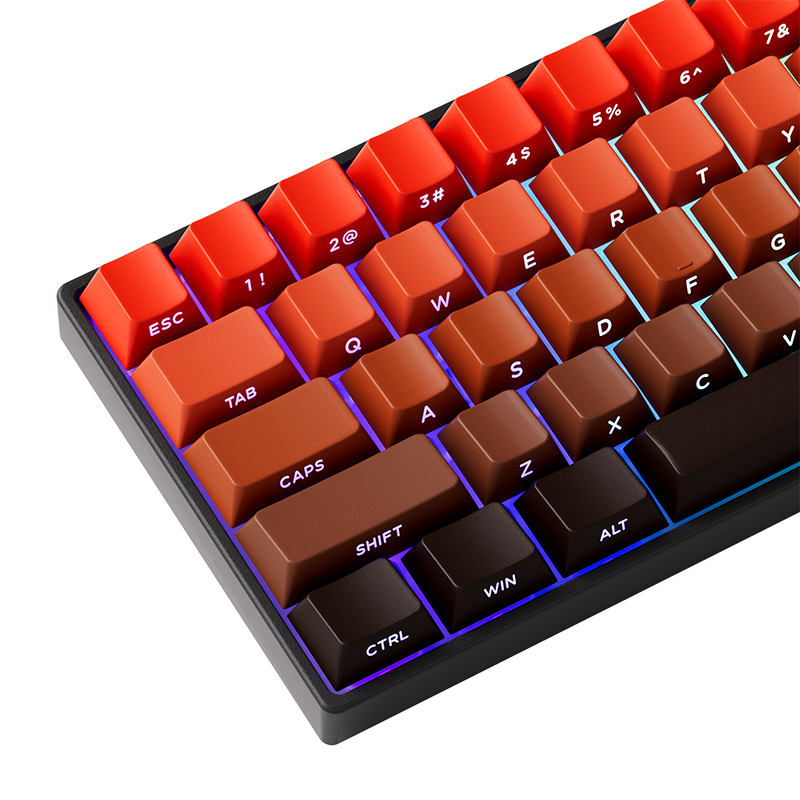
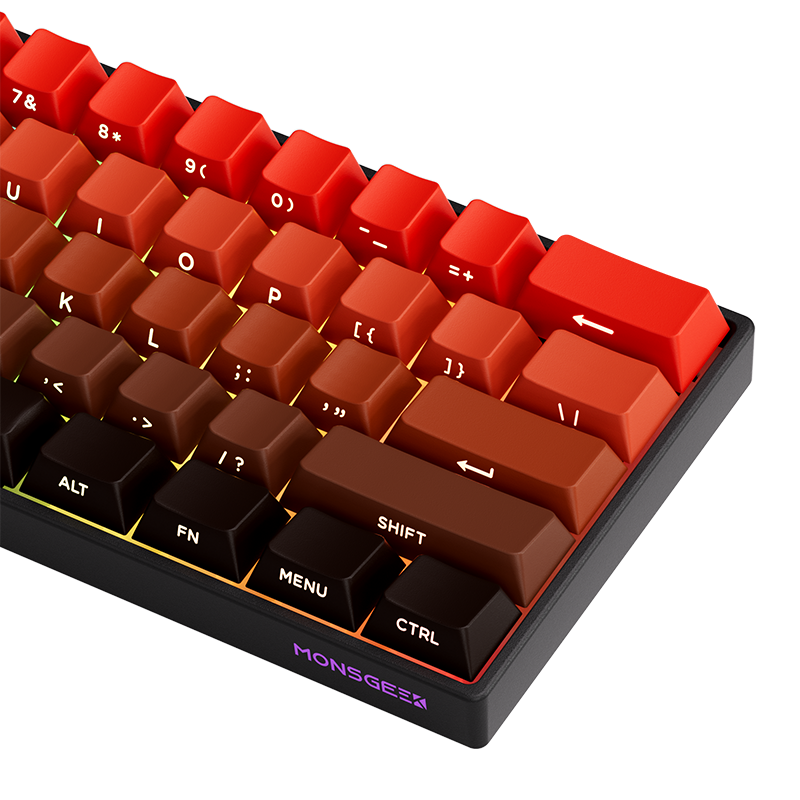
Introducing MonsGeek FUN Series: FUN60 Blaze Gradient Series Magnetic Switch HE Keyboard!
It’s time to be revolutionary and make something different.
Highlights:
Cross-compatible with Major Magnetic Switches
0.01mm RT for Superior Gaming
PBT Shine-through Side-printed Keycaps
The MAX version (Tri-mode only) delivers an 8,000 Hz polling rate on both USB-C wired and 2.4 GHz wireless connections.
Know the fit
@media (max-width: 768px) {
font-size: 18px !important;
font-size: 15px !important;
width: 44px !important;
height: 44px !important;
font-size: 22px !important;
@media (max-width: 480px) {
font-size: 16px !important;
line-height: 1.4 !important;
font-size: 14px !important;
line-height: 1.5 !important;
width: 40px !important;
height: 40px !important;
font-size: 20px !important;
@media (min-width: 1200px) {
font-size: 17px !important;
Choose & use with care
Check PC compatibility. Compare the information published for the exact item and keep the product name or SKU for reference.
Compare layouts and fit. Check the selected listing and variant, including the supplied components before ordering.
Review included cables and parts. Use the directions supplied for your selected item. Contact support if an important detail is missing.
Follow the instructions supplied for the exact product. Features, limits and care directions are specific to the selected model.
Order preparation takes 1–3 business days, followed by 3–4 business days in transit: 4–7 business days in total. Standard shipping is free to the contiguous United States and DC, with no minimum order.
Request a return within 30 calendar days after delivery. We pay return shipping. After receipt, inspection and initiation of an approved refund take 5–7 business days.
Before you decide
Check PC compatibility. Read the actual item description, included parts and options. The collection contains different models; a feature stated for one item should not be assumed for every product.
Compare layouts and fit. Compare the dimensions and compatibility stated for the selected item with the space or equipment you intend to use. If a required measurement is absent, send the product name or SKU to [email protected] before purchasing.
Available choices are shown on the individual product page. Select the actual option labels before adding a variable product to your cart. Photos and specifications should be read together with that choice; availability is specific to the selected configuration.
Review included cables and parts. Follow the instructions supplied for the exact model. Do not assume that all items have the same materials, installation method, care directions or intended use.